
Mobile app
Run Your Entire Day from Your Phone
Service checklists, chemical logging, photo documentation, and offline mode — everything your technicians need to complete every stop faster and more consistently, right from their pocket.


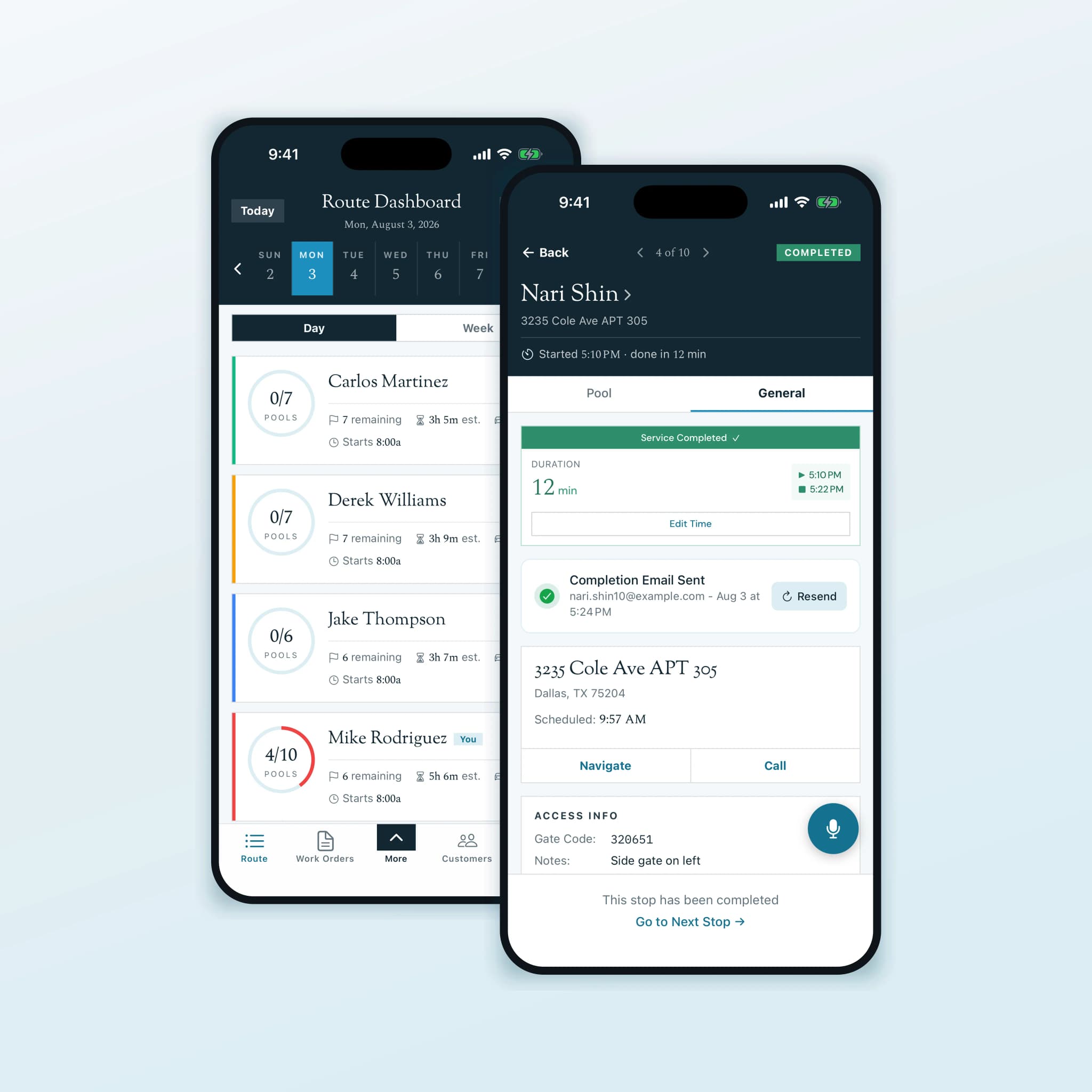
In the field
Everything techs need for great service in just a few taps
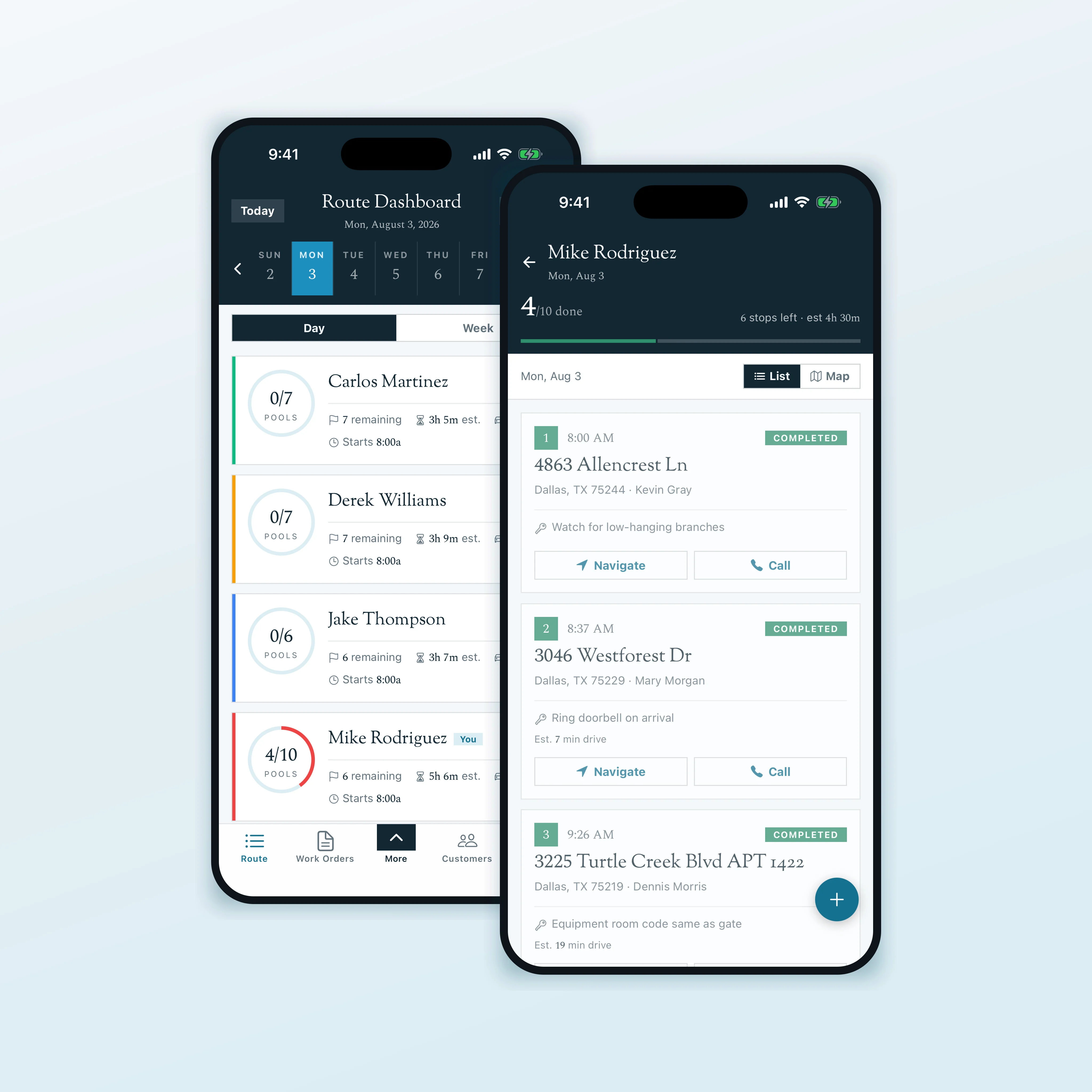
On-site quoting
Quote it on site. Get it signed before you drive away.
The filter is cracked, the customer is standing right there, and the job is worth $800. That is the moment the work is won or lost. Your technician builds the quote on their phone, the customer signs it on the same screen, and the approved quote becomes a work order without anyone going back to the office.
Signed on the tech's phone
The customer draws their signature and types their name right on the device. The signature is stored with the quote as proof of approval.
Or approved from a link
Not the decision-maker on site? Send the quote and they approve it from their own phone later, from anywhere.
Signed PDF, then a work order
Every quote generates a PDF. Approve it and it turns straight into a scheduled work order, then into the final invoice.
Expires on its own
Quotes carry an expiry date and lapse automatically, so old pricing never gets accepted months later.
Water chemistry
Chemical tracking that says how much to add, not just what you measured.
Most chemical logging stops at the reading. A technician writes down a pH of 7.9 and a total alkalinity of 140, and the decision about what to pour is still theirs to make in the sun with a phone in one hand. Pool Runs takes the readings, the targets you set, and the pool’s volume, and returns the amount of each chemical that closes the gap, along with the water balance you would land on if you added it.
That matters most if you bill monthly plus chemicals. That pricing model only works when dosages are recorded reliably at every stop, which turns chemical handling from a data-entry chore into the thing that makes an invoice defensible. Every reading and dose syncs to the customer record so the history is there when a homeowner asks why the bill moved.
Amounts, not just readings
Acid or soda ash for pH, sodium bicarbonate for alkalinity and calcium chloride for hardness, each with the quantity for that pool's volume.
Rates with a source
Alkalinity rates come from the PHTA Fact Sheet on Alkalinity (May 2021); the rest from standard pool industry stoichiometry, verified against molar-weight calculations.
The LSI you'd land on
The app reports the Langelier Saturation Index now and the index projected after the proposed changes, so balance is checked before the chemical goes in, not after.
Pool Runs recommends; it does not dose. Every figure the app returns is a calculated estimate for recommendation only, a technician adds the chemicals, and water chemistry should always be re-tested after a full turnover before anything else is added.
At the stop
Property tasks, right where the service happens.
“Replace the pump basket lid next time you are there.” Link that task to the property so a technician can find it at the stop, even if it has no due date or belongs to another team member.
When task management is enabled, open the stop’s General tab and expand Details to see its Tasks list. Open a task for the full details or complete it without leaving the stop. Your task list stays connected to the property it is about.
Tasks linked to the property
See available open property tasks, including work assigned to other team members and tasks due later or with no due date.
Dated against the visit
Due labels use the day of the stop: Overdue, Today or the scheduled time, a future date, or No due date.
Tick it off without leaving
Complete a task from the list, with Undo for a mistaken tap, or open it for details. Previously cached tasks remain available when the phone is offline.
Appearance
Choose a color mode that suits your day.
Choose the color mode that suits your surroundings. Under Settings, Appearance, Color mode offers Light, Dark and System. System follows the phone’s appearance setting, including changes between light and dark mode.
The setting belongs to the device, not the account, so a shared tablet in a truck and somebody’s own phone can each be set the way that person actually works.
Light
The default color mode, with light backgrounds for your daily work.
Dark
Choose dark backgrounds when you prefer a darker screen for early starts or evening work.
System
Follow your device appearance. The app switches when the phone's light or dark setting changes.
Questions
Mobile App FAQ
Explore More Pool Runs Features
The mobile app is just the beginning. See how Pool Runs helps you run your entire operation.
Get started
Put Your Business in Every Technician's Pocket
Join pool service professionals who are completing stops faster, documenting everything, and eliminating paperwork. Start your free trial today.