Route optimization

Pool route optimization software for a shorter drive.

Pick where the day starts and ends. Pool Runs uses Google's traffic-aware routing to find the quickest order through the day's stops, shows it beside the order you drive now, and changes nothing until you apply it.

Google routingTraffic-aware
Runs onWeb and phone
Nothing savedUntil you apply

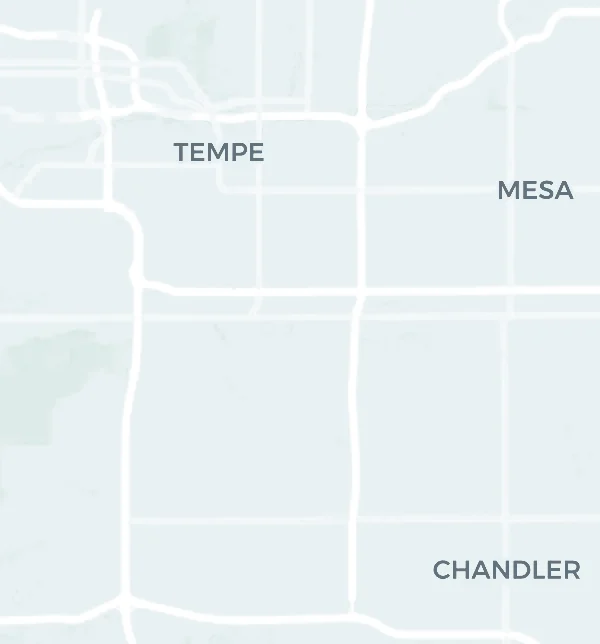
Sample route. Real totals come from Google for your own stops, start, end and traffic.

How it works

Preview, compare, apply. Nothing moves until you say so.

Optimizing only suggests an order. You see it beside the order you drive now, with the miles and drive time for each, and nothing on the route changes until you apply.
01

Pick the ends of the day. Home, the shop or a stop.

Start or end at the tech's saved home address, your company address or any stop on the route. On the phone a tech can also search for any address.

02

Compare the two orders. Miles and minutes, side by side.

The current order stays on the left and the suggested one on the right, with totals for both and a map you can flip between them. On a tight route it says No measurable improvement.

03

Adjust, then apply. What you see is what saves.

Drag a stop if you know something the map doesn't, like a gate that opens at ten. The totals update as you go, and the order on screen is the one that saves when you apply.

What stays put

Some stops stay put. Only the drive gets shorter.

Before Google sees the list, Pool Runs groups jobs at the same address and keeps any stop without a map location at the end of the day. When you optimize a day from the schedule, appointments sit out the reorder too.

Appointments keep their time. The rest move around them.

When you optimize a day from the schedule, appointment stops and time-locked work orders are left out of the reorder and slotted back in at their scheduled time, so a 10:30 promise stays a 10:30 visit.

Two jobs, one address. Kept together.

A route visit and a repair at the same house are sent as one place, so the reorder never splits them across the day.

Start and end where the day does.

The tech's home, the shop, or the first or last pool of the day. On the phone a tech can also search for any address.

A drive time on every stop.

Applying saves the drive time to each stop, and the route works out arrival times from it and each pool's time on site.

If it can't do better, it says so.

On a route that's already in good order you get No measurable improvement, so you can leave the stops where they are.

Office and field

Set the weekly order once. Fix today's from the truck.

Optimize a tech's recurring route in the office and carry the new order into the weeks ahead, or let the tech optimize the day they're driving from the Pool Runs app.

In the office. Fix Tuesday once, for every Tuesday after.

The route builder keeps each tech's weekly order by day, on a map. Optimize it there and Pool Runs asks whether to update the stops already scheduled ahead, and where any work orders on those days should go.

Pool technician smiling from the window of his service truck

On the road. Techs can do it from the app.

Techs you allow can optimize their own route from the app, or drag stops by hand. If a hand reorder clears any drive-time estimates, the app offers to optimize again to recalculate them.

In their words

We used to drive all over town, sometimes doubling back three or four times a day. With Pool Runs route optimization, we shaved almost an hour off every route. My guys are home earlier and we're saving a fortune on gas.

Jordan Walsh, owner of Lakeside Pool ServicesJordan WalshOwner · Lakeside Pool Services
I let my techs optimize their own routes from the app now. They save 20–30 minutes a day and I don't have to micromanage the stop order anymore. It just works.

Wendy Rutherford, office admin at Rutherford PoolsWendy RutherfordOffice Admin · Rutherford Pools

Questions

Route optimization, asked and answered.

The short version: it suggests an order, you check it, and you decide.

How does pool route optimization work in Pool Runs?

Pick where the day starts and ends. Pool Runs sends that tech's stops for the day to Google's Routes API with traffic-aware routing, gets back the quickest driving order, and shows it beside your current order with the miles and drive time for each. Nothing changes until you apply it.

How much time or fuel will it save?

That depends on your stops, where the day starts and ends, and traffic, so we don't quote a percentage. The preview shows the current and suggested totals for your own route before you change anything, and if there's nothing to gain it says No measurable improvement.

Can technicians optimize their own routes?

Yes, if they have the route optimization permission, which the Technician role includes by default. They tap Optimize Route in the Pool Runs app, choose a start and end, review the new order and apply it. Optimizing needs a connection.

What happens to appointments and fixed-time work orders?

When you optimize a day from the schedule, appointment stops and time-locked work orders stay out of the reorder. The other stops are optimized around them, and each one is slotted back into the day at its scheduled time.

Can I optimize every tech's route, and the weeks ahead?

Yes, one route at a time. Optimize a tech's day from the schedule, or a tech's weekday in the route builder. Changing a recurring route's order offers to update the stops already scheduled for the coming weeks.

Is route optimization included in the plan?

Yes. Route optimization is part of the base plan, from $45/month with 50 properties included.

Get started

Bring last Tuesday's route. See the order it could have been.

Start with a demo, then try it on a route you already drive and compare the two orders yourself before anything changes.

Route optimization is in the base plan · from $45/month with 50 properties included
A clipboard with a handwritten route sheet, lines crossed out
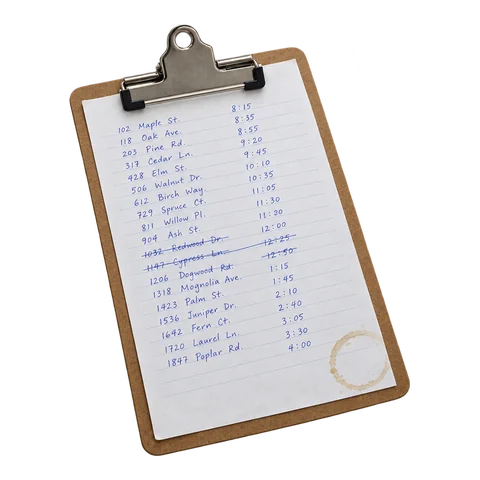
Same 11 stops · sample routeCurrent47.3 miOptimized42.1 mi1h 58m of driving down to 1h 46m on this sample. Before you apply a new order, the preview shows your own route's numbers.