Owner, phone and email. Where the lookup finds them.
Each number shows whether it's a mobile or a landline and how recently it was reported, so a stale landline never looks as good as a current mobile.
AI lead generation
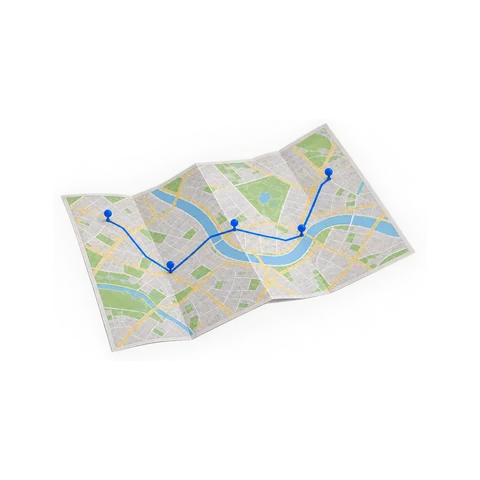
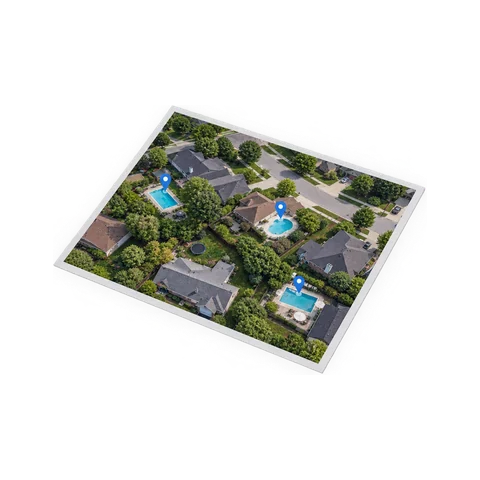
Draw an area on the map and Pool Runs finds the backyard pools in aerial imagery. Look up an owner and you get a name, phone and email wherever the lookup finds them. The ones who say yes become customers without retyping a thing.
Monthly lead credits come with the plan, from $45/month with 50 properties included.
How the search works
Missed one under a tree? Pools under tree cover, a pool cover or heavy shade can slip past the model. Add pool drops a pin on it by hand, and it gets the same owner lookup.
Hollow pin = added by handOwner lookup
Each number shows whether it's a mobile or a landline and how recently it was reported, so a stale landline never looks as good as a current mobile.
Pool Runs ranks the numbers it found and says whether to call, email first, or send direct mail or a door hanger when there's nothing to dial.
Numbers on the Do Not Call list aren't shown, and known litigators are flagged with their contact details stripped.
Every pool shows whether its owner was identified, came back with no match, or hasn't been looked up yet.
Tick the rows and press Identify Homeowners. An address that's already been searched can't be charged for again.
Located pools
Every pool you find lands on one list with its owner, status and notes. Mark who you've reached, filter to who's left, and turn a yes into a customer record without typing it twice.
How the search works, what each lead comes with, what it costs, and what happens after the first call.
You draw an outline around the US neighborhoods you want on the Discover Pools map. Pool Runs gathers aerial imagery for that area, and a detection model marks the backyard pools it can see. The pools land on your Located Pools map and list, where Identify homeowner looks up who owns each one.
It finds pools that are visible from above. A pool under tree cover, under a pool cover or in heavy shade can be missed, so the map has an Add pool button: drop a pin on a pool you know is there and it gets the same owner lookup as the rest.
Every pool comes with its street address. The owner lookup then tries to find the homeowner's name, phone numbers, email and mailing address. What comes back varies from home to home, some addresses return no match, and numbers on the Do Not Call list are hidden in the list and flagged in the export.
It runs on credits. The plan includes monthly lead credits that reset each billing period, from $45/month with 50 properties included. A search uses about 20 credits per square mile, a homeowner lookup uses 1, and the map shows the area and its cost before you submit. The 30-day free trial comes with credits too.
Yes. Export CSV downloads the list with owners, best phone and email, Do Not Call flags and contacted dates. Create Customer adds the owner as a prospect with the property and its pool already on file, so nothing gets typed twice.
A bought list can include homes with no pool at all. Here every lead starts from a pool the model saw in aerial imagery, inside an area you chose, such as the streets around a route you already drive.
Get started
See pool discovery on the map in a demo, from the first outline to the owner's phone number to a new customer record.
From $45/month with 50 properties included · monthly lead credits · 30-day free trial